

Square Footage & Cost Calculator
Estimate area and material cost from width, length and quantity.
Dimensions
Cost of materials
A reliable floor or material estimate starts with consistent dimensions. The Square Footage Calculator finds the combined rectangular area from width, length, and quantity, then optionally estimates material cost from a price per selected square unit. Width and length can use feet, meters, centimeters, or inches independently, while the result can be displayed in square feet, square meters, square centimeters, or square inches.
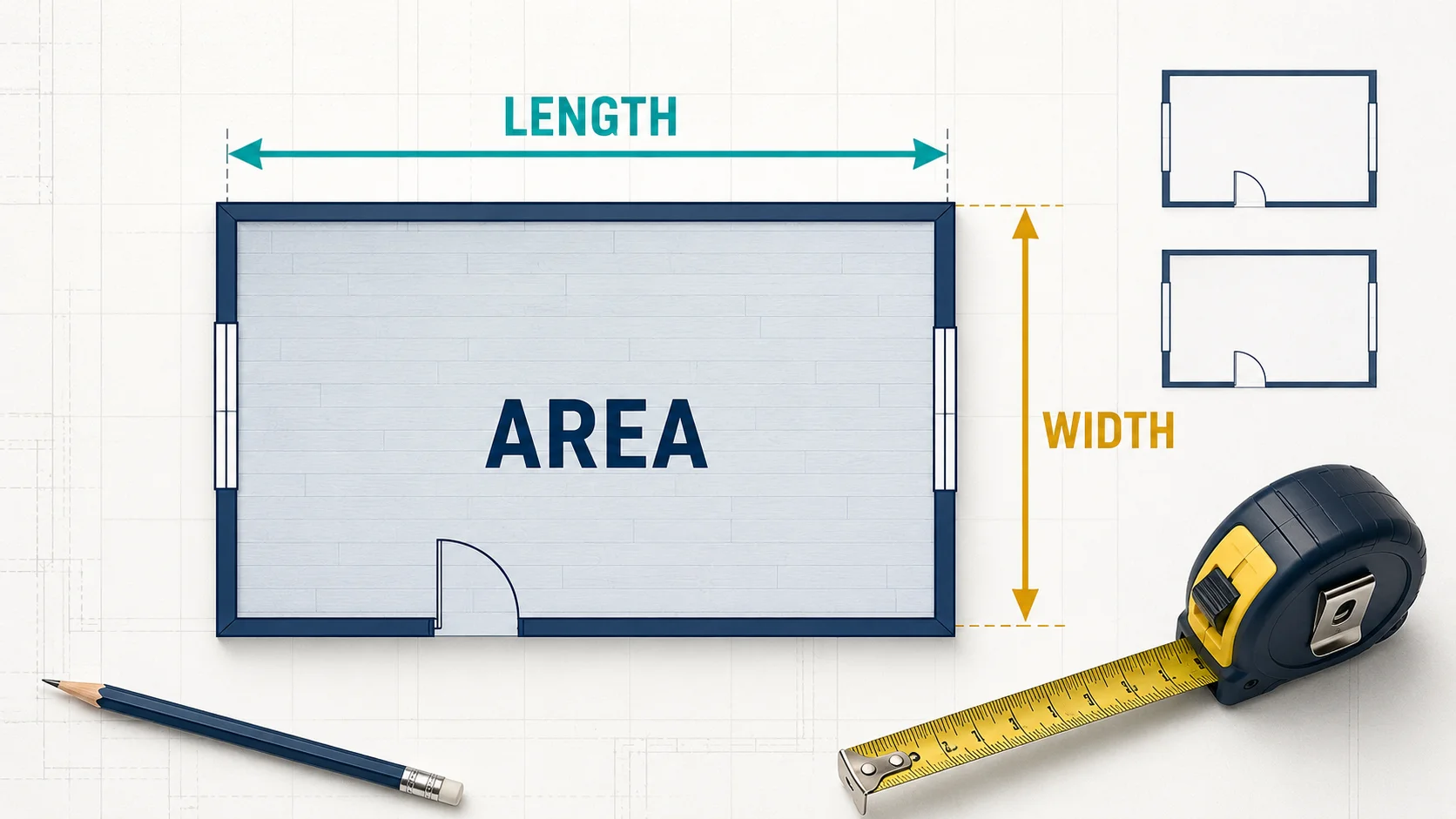
What the Square Footage Calculator Finds
The live calculator is designed for one rectangle or several identical rectangles. It returns two results:
- Area: Width multiplied by length and quantity, converted to the selected square-area unit.
- Total cost: Calculated area multiplied by the optional USD price per selected square unit.
Results update automatically as valid values are entered. The area appears only when width, length, and quantity produce a positive area. Total cost appears only after a positive unit price is also supplied. Displayed values are rounded to a maximum of four decimal places, with unnecessary trailing zeros removed.
How to Use the Calculator
- Measure the rectangular space from one inside edge to the opposite edge and enter its width.
- Choose the width unit: ft, m, cm, or in.
- Enter the perpendicular length and select its unit. Width and length may use different units because the calculator converts both before multiplying.
- Enter the quantity of identical rectangles. Use 1 for one room or surface.
- Select the required area output: ft², m², cm², or in².
- Optionally enter the material price in USD per displayed square unit to estimate total cost.
Selecting Reload clears every value and restores feet for both dimensions and square feet for the area. When a dimension unit changes, the calculator converts the number already entered instead of treating the same number as the new unit. For example, changing 10 ft to meters changes the displayed measurement to approximately 3.048 m while preserving the physical length.
Square Footage and Cost Formulas
For a rectangular area with length L, width W, and quantity Q:
Area of one rectangle = L × W
Total area = L × W × Q
If the material price is P per selected square unit:
Total cost = Total area × P
Length and width must represent compatible physical measurements before multiplication. The calculator handles this by converting both inputs to meters internally, calculating square meters, and then converting the total into the chosen area unit. Its conversion factors include 1 ft = 0.3048 m and 1 in = 0.0254 m. Consequently, 1 m² is approximately 10.7639 ft², and 1 ft² equals exactly 0.09290304 m².
Worked Example
Consider three identical rectangular rooms, each measuring 12 ft wide by 15 ft long. First calculate one room:
Area of one room = 12 ft × 15 ft = 180 ft²
Multiply by the quantity of three:
Total area = 180 ft² × 3 = 540 ft²
If the selected material costs USD 2.50 per ft²:
Total cost = 540 × 2.50 = USD 1,350
This is a base material-value estimate. If the product requires a 10% waste allowance, calculate 540 × 1.10 = 594 ft² before checking package sizes and prices. The live calculator does not add waste automatically, so any extra percentage must be applied separately.
Measuring Rooms and Surfaces Accurately
Measure length and width along perpendicular lines. For flooring, measure from finished wall to finished wall at the widest relevant points. Baseboards, alcoves, built-in units, columns, cabinets, and angled walls can affect the usable or coverable area, so define the exact surface your project needs before recording dimensions.
For an L-shaped or irregular room, divide the plan into non-overlapping rectangles. Calculate each rectangle separately with quantity set to 1, record the results, and add them. Do not include the same section in two rectangles. Curves, triangles, circles, and sloped boundaries require their own shape formulas and should not be approximated as a single rectangle unless a rough upper estimate is acceptable.
Take at least two measurements when walls may not be parallel. Small measurement differences can matter across multiple rooms or expensive finishes. Keep more precision during the calculation and round only the final purchasing quantity.
Understanding Units and Unit Price
Square units change by the square of the length conversion. One foot contains 12 inches, but one square foot contains 144 square inches because 12 × 12 = 144. This is why a linear conversion factor must be squared when converting area.
The calculator’s unit price always follows the currently selected area unit. If ft² is selected, USD 2.50 means USD 2.50 per ft². If you change the area result to m², the price label changes to per m² and the same entered number is treated as a price per m². Convert or replace the unit price after changing the area unit; otherwise the total may not represent the supplier’s quotation.
Material-Cost Limitations
The result covers only area multiplied by the entered unit price. It does not include waste, cuts, pattern matching, seams, breakage, spare stock, labor, underlayment, adhesive, grout, fasteners, delivery, tax, equipment, or disposal. Products sold by the box, roll, sheet, board, or fixed length must be rounded up to complete purchasable packages.
Quantity is intended for identical rectangles. If rooms have different dimensions, calculate them separately rather than using an average size. Supplier coverage and usable coverage may also differ, so verify the packaging and installation instructions before ordering.
Related Calculators
- Use the Flooring Calculator to include flooring dimensions, layout, waste, package coverage, and optional cost.
- Use the Tile Calculator when the project depends on tile size, grout gap, layout, boxes, and waste allowance.
- Use the Paint Calculator to estimate wall and ceiling paint after accounting for openings, coats, coverage, and waste.
Frequently Asked Questions
How do I calculate square footage?
For a rectangle measured in feet, multiply length by width. A 10 ft by 12 ft room contains 120 ft². Multiply by quantity when several identical areas are being combined.
Can width and length use different units?
Yes. The live calculator converts each dimension independently. For example, you can enter width in feet and length in inches, although measuring both in one unit can make manual checking easier.
How do I calculate an irregular room?
Split the room into separate rectangles, calculate each section, and add the areas. Ensure that sections do not overlap. Use the appropriate formula separately for triangular, circular, or curved portions.
Does the calculator include material waste?
No. The area and cost are based only on the entered dimensions, quantity, and unit price. Apply a waste allowance suitable for the product, layout, cuts, and installer’s recommendations.
Why did the total cost change when I changed the area unit?
The unit price is interpreted per currently selected area unit. Changing ft² to m² changes the price basis to USD per m², so the entered price must also be converted or replaced.
Should I round the square footage result?
Keep the calculated precision while combining areas, then round the final material quantity according to package coverage. Since partial boxes or rolls are usually unavailable, purchasing often requires rounding up.
Sources
- OpenStax: Measuring Area and the Rectangle Formula
- National Institute of Standards and Technology: SI Units — Area
- NIST Guide to the SI: Area Conversion Factors
Break Irregular Areas Into Simple Shapes
For L-shaped rooms, patios, or walls, divide the plan into rectangles or other basic shapes, calculate each area, then add them. Subtract openings only when they materially affect the purchase quantity. Flooring, tile, roofing, and landscaping also require a waste allowance based on cuts, pattern, breakage, and product packaging, so round up to purchasable units rather than only the exact square footage.