

Refinance Calculator
Compare your current mortgage vs. a refinance: payment, savings, and break-even.
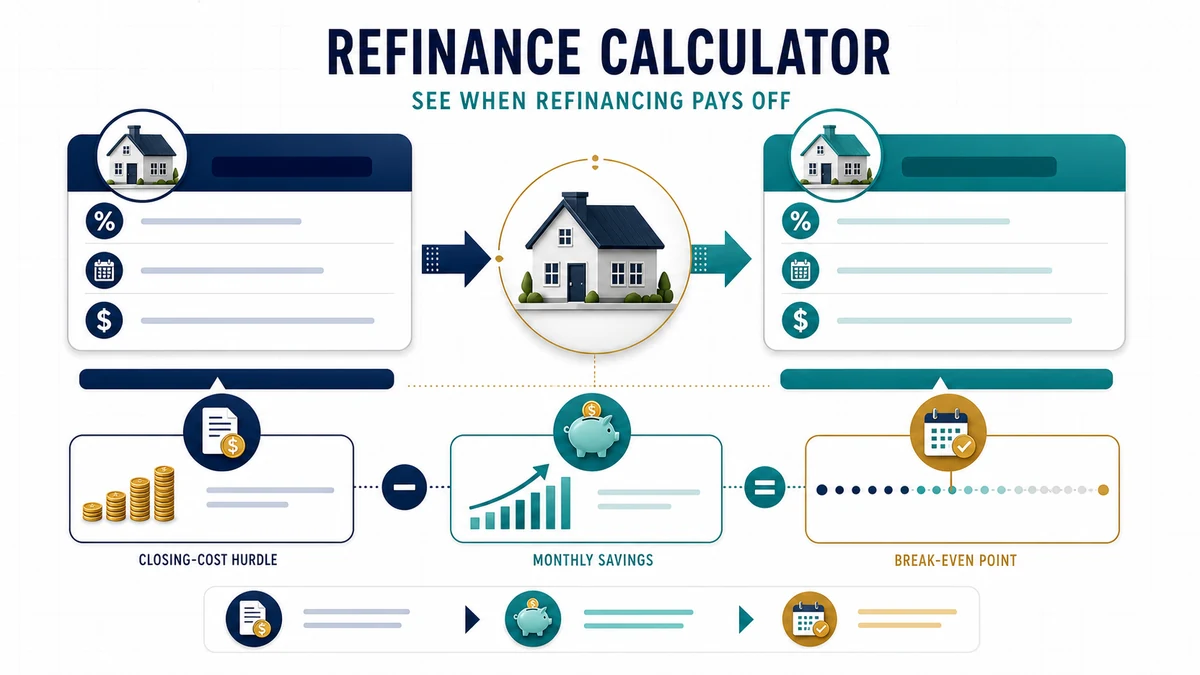
Use this Refinance Calculator to compare your existing mortgage with a potential refinance. It estimates the new monthly principal-and-interest payment, monthly savings, closing costs, break-even time, remaining interest, and estimated payoff dates.
Important: A lower monthly payment does not automatically mean refinancing will save money overall. Consider closing costs, the new repayment term, total interest, and how long you expect to keep the loan.
Refinance Calculation Method
For each fixed-rate mortgage, the estimated monthly principal-and-interest payment is calculated using:
M = P × [r(1 + r)n] ÷ [(1 + r)n − 1]
Where:
- M = monthly principal-and-interest payment
- P = loan principal
- r = monthly interest rate
- n = number of monthly payments remaining
Monthly interest rate = annual interest rate ÷ 12 ÷ 100
The calculator compares the current mortgage payment with the estimated payment on the new refinance loan.
Monthly savings = current monthly P&I − new monthly P&I
If closing costs are entered as a percentage:
Estimated closing costs = current loan balance × closing-cost percentage ÷ 100
If you enter a cash-out amount:
New refinance principal = current balance + cash-out amount
Break-Even Time
When refinancing produces positive monthly savings, the simple break-even point is:
Break-even months = closing costs ÷ monthly savings
The break-even point estimates how long the monthly payment savings may take to recover the upfront refinancing costs.
For example, if refinancing costs $5,000 and reduces the monthly principal-and-interest payment by $250:
$5,000 ÷ $250 = 20 months
You would need to keep the refinanced mortgage for approximately 20 months for those payment savings to recover the estimated upfront costs.
Worked Example
Suppose your current mortgage has:
- Remaining balance: $250,000
- Current interest rate: 7%
- Remaining term: 25 years
You are considering refinancing to:
- New interest rate: 6%
- New term: 30 years
- Closing costs: $5,000
- No cash-out
The estimated current principal-and-interest payment is:
≈ $1,766.95 per month
The estimated new payment is:
≈ $1,498.88 per month
Estimated monthly savings:
$1,766.95 − $1,498.88 ≈ $268.07
Estimated break-even time:
$5,000 ÷ $268.07 ≈ 18.7 months
The refinance therefore reaches its simple break-even point after approximately 19 months.
However, the remaining interest on the current 25-year loan is approximately $280,084, while the new 30-year loan would generate approximately $289,595 of interest if kept for the full term.
This example shows why a refinance can reduce the monthly payment without necessarily reducing lifetime interest cost.
Important Notes
- Use the mortgage interest rate rather than APR for the principal-and-interest amortization calculation.
- The simple break-even calculation works only when the refinance produces positive monthly savings.
- Break-even based only on monthly payment savings does not capture every financial effect of refinancing.
- Starting a new, longer loan term may reduce your monthly payment while increasing the number of years you remain in debt.
- Closing costs may include appraisal, origination, underwriting, title, recording, and other charges.
- Some lenders advertise no-closing-cost refinancing by increasing the interest rate or adding costs to the new loan balance.
- Cash-out refinancing increases the new principal and may increase both payment and total interest.
- Property taxes, homeowners insurance, mortgage insurance, HOA dues, escrow adjustments, and other housing expenses are not part of the principal-and-interest comparison.
- Points, lender credits, taxes, prepaids, financed closing costs, and tax consequences are not fully modeled.
- Compare the official Loan Estimates from multiple lenders before deciding whether to refinance.
How to Use the Refinance Calculator
Start with figures from the same date and use the same units throughout. Enter current balance and rate, remaining term, proposed rate and term, closing costs, and cash-out amount. Use realistic assumptions rather than a best-case guess, then calculate a baseline. Save or note that result before changing one input at a time. This makes it easier to see which assumption has the greatest effect and prevents several simultaneous changes from hiding the reason the result moved.
The calculator reports estimated payment change, interest difference, closing-cost break-even, and total-cost comparison. Treat those outputs as a scenario, not a promise or formal quote. Recheck any figure that comes from a statement, contract, tax notice, lender disclosure, or service provider. Small differences in timing, rounding, fees, or definitions can become meaningful when a balance is large or a time period is long.
How to Interpret the Results
The main purpose is to test whether expected savings recover refinancing costs within the planned ownership period. Compare at least three cases: a conservative case, a reasonable working case, and a more favorable case. Keep the time period and measurement basis consistent so the comparison remains useful. If the result drives an important decision, check both the recurring amount and the cumulative total; a manageable monthly figure can still carry a substantial long-term cost.
Look for sensitivity, not only a single answer. Change the rate, term, payment, price, or contribution slightly and calculate again. If a small input change causes a large output change, that assumption deserves extra verification. Also remember that tax effects, points, escrow changes, reset loan term, prepayment terms, and future moves can change the decision. This tool is for education and preliminary planning; it is not individualized financial, tax, legal, lending, or investment advice.
Scenario Checklist
- Use current balances, rates, prices, and payment dates whenever possible.
- Keep percentages in percentage fields and money values in the selected currency.
- Compare like with like: the same time horizon, payment frequency, and cost basis.
- Include known fees and recurring charges when the calculator provides those fields.
- Run a downside case so the plan is not dependent on one optimistic assumption.
- Confirm important figures with the relevant provider or qualified professional before acting.
Related Finance Calculators
For another view of the same decision, compare this result with the Mortgage Loan Amortization Calculator and the Credit Card Interest Calculator. Related tools can expose a cost, rate, timing issue, or cash-flow effect that one calculation alone may not show.
Frequently Asked Questions
What does the Refinance Calculator calculate?
It uses current balance and rate, remaining term, proposed rate and term, closing costs, and cash-out amount to estimate estimated payment change, interest difference, closing-cost break-even, and total-cost comparison. The result follows the formulas and assumptions described on this page. It is most useful for exploring a clearly defined scenario and comparing alternatives on the same basis.
How accurate is the Refinance Calculator?
The arithmetic is based on the values entered, so input quality determines usefulness. Real-world results can differ because tax effects, points, escrow changes, reset loan term, prepayment terms, and future moves can change the decision. Use exact figures where available and rerun the calculation whenever a rate, balance, price, payment, or time period changes.
Which inputs have the biggest effect?
The most influential inputs are usually the starting amount, rate or percentage, recurring cash flow, and time horizon. Their importance varies by calculation. Test one input at a time and watch both the immediate result and the cumulative total.
Can I use this calculator to compare two options?
Yes. Calculate each option separately with the same date, units, frequency, and horizon. Record the recurring result, total result, and any amount excluded from the model. A fair comparison also considers flexibility, risk, liquidity, and fees that cannot be reduced to one number.
Does the result include every tax, fee, or charge?
Only items represented by the available inputs are included. The calculator cannot automatically know account-specific fees, local taxes, provider rules, changing rates, penalties, or contract terms. Review the notes above and verify exclusions before relying on the estimate.
How should I use the result in a financial decision?
Use it as a starting point for questions and scenario testing. Compare conservative and favorable cases, confirm source figures, and consider whether the result remains workable if conditions worsen. For regulated products, taxes, or major commitments, compare the estimate with official documents and professional guidance.