
Amortization Calculator
Generate an amortization schedule with optional extra payments.
| # | Date | Payment | Extra | Principal | Interest | Balance |
|---|---|---|---|---|---|---|
| Run a calculation to see the schedule. | ||||||
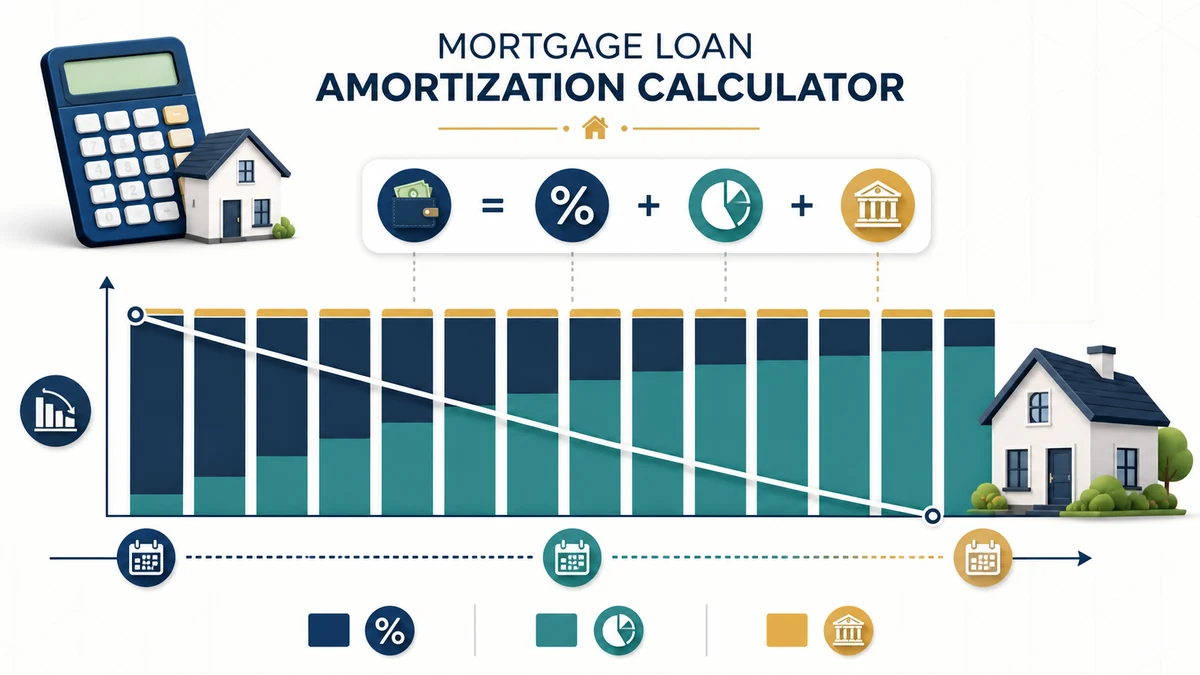
Use this Mortgage Loan Amortization Calculator to estimate your fixed monthly principal-and-interest payment and generate a month-by-month repayment schedule. You can also include recurring or one-time extra principal payments to estimate potential interest savings and an earlier payoff date.
Important: This calculator estimates principal and interest only. A complete mortgage payment may also include property taxes, homeowners insurance, mortgage insurance, HOA dues, and other charges.
Mortgage Amortization Formula
For a standard fixed-rate, fully amortizing loan, first convert the annual interest rate to a monthly rate:
Monthly interest rate = annual interest rate ÷ 12 ÷ 100
The scheduled monthly principal-and-interest payment is:
M = P × [r(1 + r)n] ÷ [(1 + r)n − 1]
Where:
- M = scheduled monthly payment
- P = original loan principal
- r = monthly interest rate
- n = total number of monthly payments
Each payment period is then calculated as follows:
Monthly interest = current balance × monthly interest rate
Scheduled principal = monthly payment − monthly interest
Ending balance = current balance − scheduled principal − extra principal
Interest is normally higher near the beginning of an amortized loan because it is calculated from a larger outstanding balance. As the balance decreases, less of the scheduled payment goes to interest and more goes to principal.
Worked Example
Suppose you borrow $280,000 at a fixed annual interest rate of 6.5% for 30 years.
Total monthly payments = 30 × 12 = 360
Monthly interest rate = 6.5% ÷ 12 ≈ 0.5417%
Using the amortization formula:
Scheduled monthly principal and interest ≈ $1,769.79
The first month’s estimated interest is:
$280,000 × 0.0054167 ≈ $1,516.67
The scheduled principal paid in the first month is:
$1,769.79 − $1,516.67 ≈ $253.12
The estimated remaining balance after the first scheduled payment is:
$280,000 − $253.12 = $279,746.88
If you also pay an extra $200 toward principal that month:
Total principal reduction = $253.12 + $200 = $453.12
Estimated ending balance = $279,546.88
Reducing the balance earlier can lower the interest charged in later months and shorten the estimated payoff period.
How to Read the Amortization Schedule
- Payment: The scheduled principal-and-interest payment.
- Extra: An optional additional amount applied to principal.
- Principal: The scheduled portion that reduces the loan balance.
- Interest: The borrowing cost calculated for that payment period.
- Balance: The estimated principal remaining after the payment.
Important Notes
- Enter the mortgage interest rate rather than APR when calculating the scheduled amortization payment.
- The calculator assumes a fixed interest rate, regular monthly payments, and monthly compounding.
- Extra-payment estimates assume the additional amount is applied directly to principal after that month’s interest is calculated.
- Confirm with your loan servicer how extra payments are applied and whether any prepayment restrictions or penalties exist.
- The selected start date labels the schedule and estimates the payoff month; it does not change the payment formula.
- Rounding each monthly payment can cause small differences between this estimate and a lender’s official amortization schedule.
- Taxes, insurance, PMI, escrow adjustments, HOA dues, late fees, closing costs, and lender-specific charges are not included.
- Adjustable-rate, interest-only, balloon, negatively amortizing, and other nonstandard loans may require different calculations.
How to Use the Mortgage Loan Amortization Calculator
Start with figures from the same date and use the same units throughout. Enter principal, rate, term, start date, frequency, and optional extra payment. Use realistic assumptions rather than a best-case guess, then calculate a baseline. Save or note that result before changing one input at a time. This makes it easier to see which assumption has the greatest effect and prevents several simultaneous changes from hiding the reason the result moved.
The calculator reports scheduled payment, principal and interest split, balance by period, and payoff date. Treat those outputs as a scenario, not a promise or formal quote. Recheck any figure that comes from a statement, contract, tax notice, lender disclosure, or service provider. Small differences in timing, rounding, fees, or definitions can become meaningful when a balance is large or a time period is long.
How to Interpret the Results
The main purpose is to show how a level payment gradually shifts from interest toward principal. Compare at least three cases: a conservative case, a reasonable working case, and a more favorable case. Keep the time period and measurement basis consistent so the comparison remains useful. If the result drives an important decision, check both the recurring amount and the cumulative total; a manageable monthly figure can still carry a substantial long-term cost.
Look for sensitivity, not only a single answer. Change the rate, term, payment, price, or contribution slightly and calculate again. If a small input change causes a large output change, that assumption deserves extra verification. Also remember that fees, escrow, adjustable rates, late payments, recasting, and lender rounding are outside a simple schedule. This tool is for education and preliminary planning; it is not individualized financial, tax, legal, lending, or investment advice.
Scenario Checklist
- Use current balances, rates, prices, and payment dates whenever possible.
- Keep percentages in percentage fields and money values in the selected currency.
- Compare like with like: the same time horizon, payment frequency, and cost basis.
- Include known fees and recurring charges when the calculator provides those fields.
- Run a downside case so the plan is not dependent on one optimistic assumption.
- Confirm important figures with the relevant provider or qualified professional before acting.
Related Finance Calculators
For another view of the same decision, compare this result with the Mortgage Calculator with Taxes and Insurance and the Refinance Calculator. Related tools can expose a cost, rate, timing issue, or cash-flow effect that one calculation alone may not show.
Frequently Asked Questions
What does the Mortgage Loan Amortization Calculator calculate?
It uses principal, rate, term, start date, frequency, and optional extra payment to estimate scheduled payment, principal and interest split, balance by period, and payoff date. The result follows the formulas and assumptions described on this page. It is most useful for exploring a clearly defined scenario and comparing alternatives on the same basis.
How accurate is the Mortgage Loan Amortization Calculator?
The arithmetic is based on the values entered, so input quality determines usefulness. Real-world results can differ because fees, escrow, adjustable rates, late payments, recasting, and lender rounding are outside a simple schedule. Use exact figures where available and rerun the calculation whenever a rate, balance, price, payment, or time period changes.
Which inputs have the biggest effect?
The most influential inputs are usually the starting amount, rate or percentage, recurring cash flow, and time horizon. Their importance varies by calculation. Test one input at a time and watch both the immediate result and the cumulative total.
Can I use this calculator to compare two options?
Yes. Calculate each option separately with the same date, units, frequency, and horizon. Record the recurring result, total result, and any amount excluded from the model. A fair comparison also considers flexibility, risk, liquidity, and fees that cannot be reduced to one number.
Does the result include every tax, fee, or charge?
Only items represented by the available inputs are included. The calculator cannot automatically know account-specific fees, local taxes, provider rules, changing rates, penalties, or contract terms. Review the notes above and verify exclusions before relying on the estimate.
How should I use the result in a financial decision?
Use it as a starting point for questions and scenario testing. Compare conservative and favorable cases, confirm source figures, and consider whether the result remains workable if conditions worsen. For regulated products, taxes, or major commitments, compare the estimate with official documents and professional guidance.