
PayPal Fee Calculator
Calculate PayPal fees and net amount, or reverse-calculate required gross.
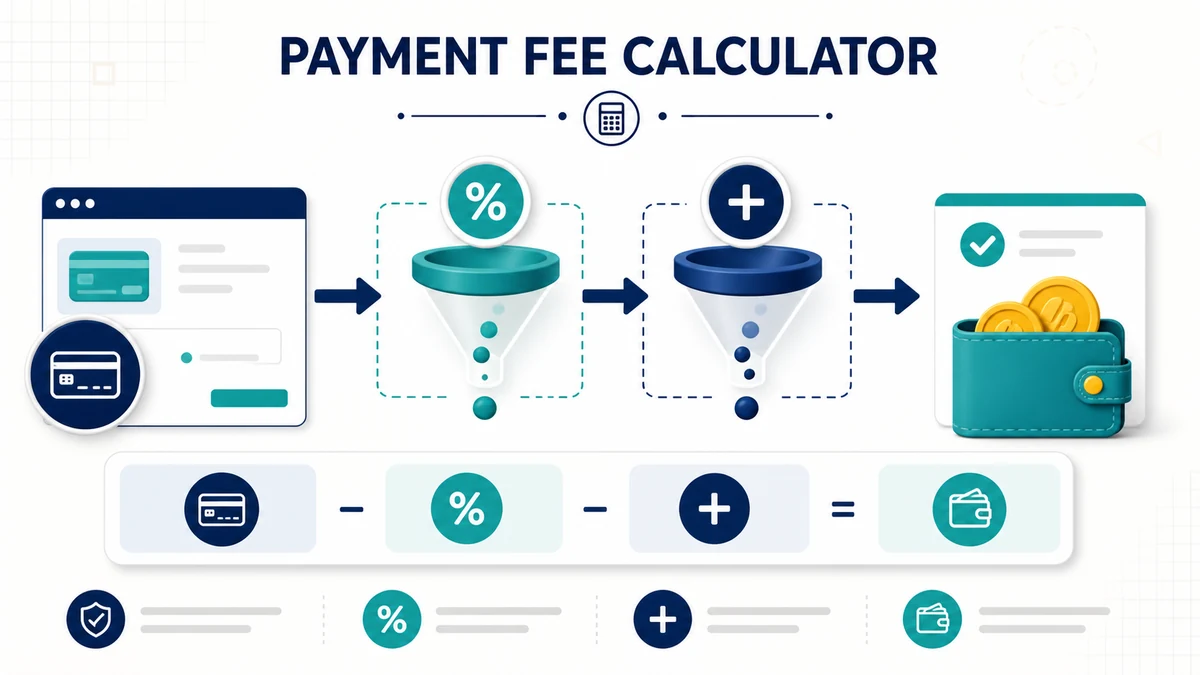
Important Note : PayPal fees vary by country, account type, transaction type, funding source, currency, product, and whether the payment is domestic or international. PayPal’s U.S. merchant fee page lists different rates for PayPal Checkout, goods and services, card payments, Pay Later, QR, and international transactions, and PayPal’s fixed commercial transaction fee is currency-based.
Use this PayPal Fee Calculator to estimate transaction fees, net received amount, and the gross amount needed to receive a target net payment. Enter the payment amount, percentage fee, and fixed fee to calculate how much may be deducted from a PayPal transaction.
This calculator is useful for freelancers, online sellers, creators, consultants, and small businesses that want to estimate PayPal transaction costs before sending an invoice, pricing a service, or checking how much they may receive after fees.
Reviewed by: Ajax Calculator Team
Last updated: April 30, 2026
Method source: Standard payment processor fee formula using a percentage fee plus fixed transaction fee. PayPal fee concepts are based on PayPal’s published merchant and business fee information.
Editorial standards: See our Editorial Policy for how we review and update calculator content.
What This PayPal Fee Calculator Does
This calculator estimates PayPal fees using a simple percentage-plus-fixed-fee model. It can work in two ways:
- Given gross amount: calculates the estimated PayPal fee and net amount received.
- Given desired net amount: reverse-calculates the gross amount needed so you receive the desired amount after fees.
The calculator shows:
- Gross payment amount
- Estimated PayPal fee
- Net amount received
- Effective fee rate
- Reverse gross-up amount when you want to receive a specific net amount
PayPal Fee Calculator Formula
Many PayPal transaction fees are calculated using a percentage fee plus a fixed fee. This calculator uses the following formula:
PayPal fee = gross amount × (fee percentage ÷ 100) + fixed fee
Then the net received amount is:
Net received = gross amount − PayPal fee
For reverse calculation, where you know the net amount you want to receive, the formula is:
Required gross = (desired net + fixed fee) ÷ (1 − fee percentage ÷ 100)
This reverse formula is useful when you want to invoice an amount that covers the estimated PayPal fee.
Worked Example: Calculate PayPal Fee From Gross Amount
Suppose you receive a $100 payment and use a fee estimate of 2.99% plus $0.49.
| Input | Example Value |
|---|---|
| Gross amount | $100.00 |
| Fee percentage | 2.99% |
| Fixed fee | $0.49 |
First calculate the percentage fee:
$100.00 × 2.99% = $2.99
Add the fixed fee:
$2.99 + $0.49 = $3.48
Then subtract the fee from the gross amount:
$100.00 − $3.48 = $96.52
In this example, the estimated PayPal fee is $3.48 and the estimated net received amount is $96.52.
Worked Example: Reverse PayPal Fee Calculation
Suppose you want to receive exactly $100 after PayPal fees. Using a fee estimate of 2.99% plus $0.49, the gross amount is calculated as:
Required gross = ($100 + $0.49) ÷ (1 − 0.0299)
Required gross = $100.49 ÷ 0.9701 = about $103.59
If you charge about $103.59, the estimated fee is about $3.59 and the net received amount is about $100.00.
How to Use the PayPal Fee Calculator
- Select the calculation mode.
- Choose Given gross if you know the payment amount and want to estimate the fee and net received.
- Choose Given desired net if you know how much you want to receive after fees.
- Enter the amount.
- Enter the fee percent that applies to your transaction.
- Enter the fixed fee for the currency or transaction type.
- Click Calculate to see the gross amount, estimated fee, net received, and effective fee rate.
How to Interpret the Results
Gross amount is the full payment amount before PayPal fees are deducted.
PayPal fee is the estimated transaction cost based on the percentage fee and fixed fee you entered.
Net received is the estimated amount left after the PayPal fee is deducted.
Effective fee rate shows the total fee as a percentage of the gross payment. This can be higher than the entered percentage rate because the fixed fee has a larger effect on smaller payments.
Why the Effective Fee Rate Can Be Higher on Small Payments
A fixed fee affects small payments more than large payments. For example, a $0.49 fixed fee is only a small part of a $500 payment, but it is a much larger share of a $10 payment.
| Gross Payment | Fee at 2.99% + $0.49 | Net Received | Effective Fee Rate |
|---|---|---|---|
| $10.00 | $0.79 | $9.21 | 7.9% |
| $100.00 | $3.48 | $96.52 | 3.48% |
| $500.00 | $15.44 | $484.56 | 3.09% |
This is why small payments can feel more expensive even when the percentage fee is the same.
PayPal Fee Percent and Fixed Fee
The calculator lets you manually enter the fee percentage and fixed fee because PayPal fees can vary. The correct fee may depend on:
- Country or market
- Currency received
- Domestic or international payment
- Goods and services payment
- Online checkout payment
- Card payment
- Invoicing payment
- Donation or charity transaction
- Micropayment rate
- Currency conversion
- Dispute, chargeback, or withdrawal fees
For the most accurate result, check your PayPal account terms or PayPal’s official fee page for your country and transaction type, then enter the matching percentage and fixed fee into the calculator.
Gross Amount vs Net Received
The gross amount is the amount the payer sends before transaction fees. The net received is the amount the seller or recipient keeps after fees.
For example, if a client pays $100 and the estimated fee is $3.48, the gross amount is $100 and the net received amount is $96.52.
What Is Reverse Fee Calculation?
Reverse fee calculation, also called gross-up calculation, helps you find the payment amount needed to receive a specific amount after fees.
For example, if you want to receive $100 after fees, charging exactly $100 will usually leave you with less than $100. Reverse mode estimates the higher gross amount needed so the net amount after fees is close to your target.
Should You Add PayPal Fees to an Invoice?
Some businesses want to add payment processing fees to an invoice. Before doing this, check the rules that apply to your location, payment method, platform, and agreement. Fee surcharging rules can vary by country, card network, payment provider, and business type.
A safer approach is often to build expected processing costs into your overall pricing instead of adding a separate fee line. However, the correct approach depends on your business, customer agreement, and applicable rules.
Common Uses for a PayPal Fee Calculator
This calculator can help you:
- Estimate PayPal fees before accepting a payment
- Calculate net revenue from a sale
- Reverse-calculate the gross amount needed to receive a target net amount
- Compare different fee percentages and fixed fees
- Understand why small transactions have a higher effective fee rate
- Estimate invoice pricing for freelance or service work
- Check whether a sale price still leaves enough profit after fees
Example PayPal Fee Table
| Gross Amount | Fee Percent | Fixed Fee | Estimated Fee | Estimated Net |
|---|---|---|---|---|
| $25.00 | 2.99% | $0.49 | $1.24 | $23.76 |
| $50.00 | 2.99% | $0.49 | $1.99 | $48.01 |
| $100.00 | 2.99% | $0.49 | $3.48 | $96.52 |
| $250.00 | 2.99% | $0.49 | $7.97 | $242.03 |
| $500.00 | 2.99% | $0.49 | $15.44 | $484.56 |
Assumptions and Limitations
- The calculator uses the fee percentage and fixed fee entered by the user.
- It does not automatically pull live PayPal fee schedules.
- It does not determine the correct PayPal fee for your country or account.
- It does not include currency conversion fees unless you manually include them in the fee percentage.
- It does not include dispute fees, chargeback fees, withdrawal fees, refunds, taxes, or platform fees.
- It assumes a simple percentage fee plus fixed fee model.
- It provides an estimate only and may not match your final PayPal account transaction record.
Tips for More Accurate PayPal Fee Estimates
- Check the official PayPal fee page for your country.
- Use the fee rate for the exact transaction type.
- Enter the fixed fee for the correct currency.
- Add international or currency conversion costs separately if they apply.
- Use reverse mode if you need to receive a specific net amount.
- Review your actual PayPal transaction report after payment is received.
Related Calculators
References
- PayPal US: Merchant and Business Fees
- PayPal US: Business Pricing and Transaction Fees
- PayPal US: User Agreement
Frequently Asked Questions
What does a PayPal fee calculator do?
A PayPal fee calculator estimates the transaction fee, net received amount, and required gross amount based on a percentage fee plus a fixed fee.
How do I calculate a PayPal fee?
Multiply the gross payment by the fee percentage, then add the fixed fee. For example, with a 2.99% fee plus $0.49, a $100 payment has an estimated fee of $3.48.
How do I calculate the amount to charge so I receive a specific net amount?
Use the reverse formula: required gross = (desired net + fixed fee) ÷ (1 − fee percentage ÷ 100). This estimates the gross payment needed after fees.
Why is the effective fee rate higher than the PayPal percentage rate?
The effective fee rate includes both the percentage fee and the fixed fee. The fixed fee has a bigger impact on smaller payments, so the effective rate can be higher.
Does this calculator use official live PayPal fees?
No. This calculator uses the percentage and fixed fee you enter. PayPal fees vary by country, currency, transaction type, and account terms, so you should verify the correct fee on PayPal’s official fee page.
Can PayPal fees be different for international payments?
Yes. International payments, currency conversion, and cross-border transactions may have additional fees. Check PayPal’s official fee schedule for the exact rules that apply to your transaction.
Does this calculator include currency conversion fees?
No. It does not automatically include currency conversion fees. If currency conversion applies, you may need to adjust the fee percentage manually or check your PayPal transaction details.
Does this calculator include refunds, disputes, or chargebacks?
No. This calculator only estimates a basic transaction fee. It does not include refund rules, dispute fees, chargeback fees, withdrawal fees, platform fees, or tax effects.
Is this calculator affiliated with PayPal?
No. This calculator is an independent estimation tool. PayPal is a trademark of PayPal, Inc. This page is not affiliated with, endorsed by, or sponsored by PayPal.
Disclaimer
This calculator is for educational and planning purposes only. It estimates PayPal-style transaction fees using the percentage and fixed fee entered by the user. Actual PayPal fees may vary by country, account type, currency, transaction type, payment method, international status, currency conversion, discounts, refunds, disputes, chargebacks, and PayPal’s current terms. Always review PayPal’s official fee schedule and your account transaction details for the final fee amount.