
Margin & VAT Calculator
Calculate selling price, VAT, margin, markup and profit from cost.
Use this Margin & VAT Calculator to calculate selling price, profit, margin, markup, and VAT from a product or service cost. You can enter either a VAT-exclusive net cost or VAT-inclusive gross cost and solve from the pricing value you already know.
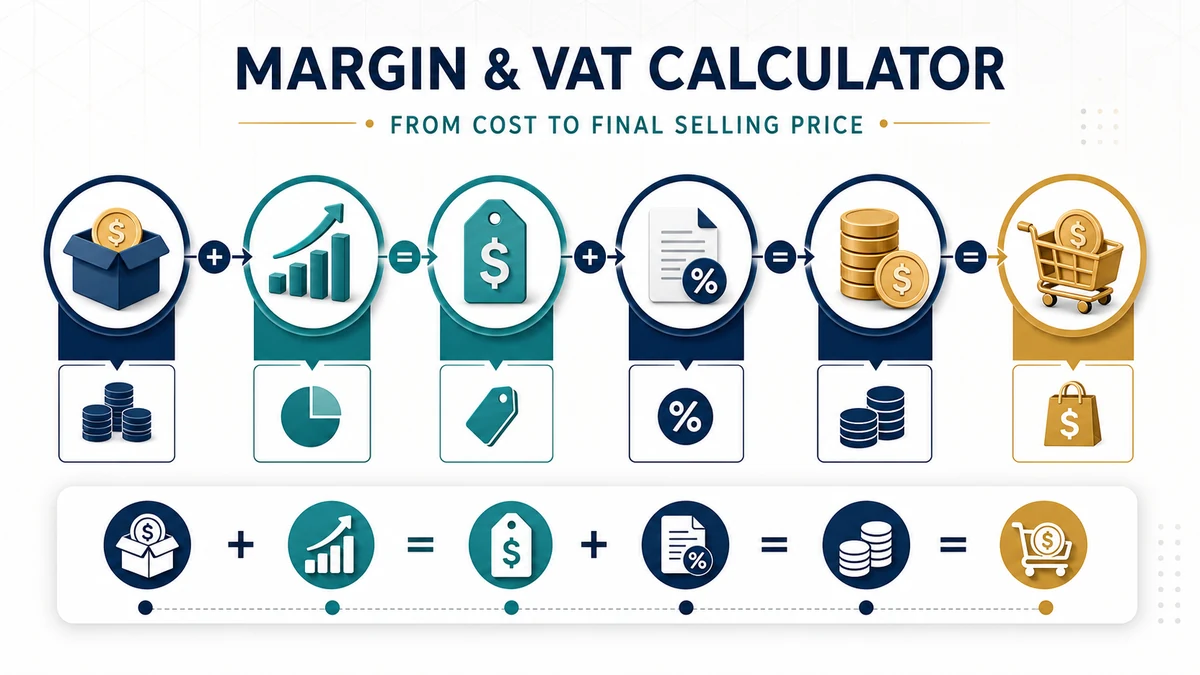
Important: This calculator performs general margin, markup, profit, and net/gross VAT calculations. It is not a specialist VAT Margin Scheme calculator. VAT treatment and rates depend on the country, transaction, product or service, and your tax status.
Margin, Markup and Profit Formulas
Profit = net selling price − net cost
Margin % = profit ÷ net selling price × 100
Markup % = profit ÷ net cost × 100
Margin and markup are different because they use different bases. Margin measures profit against the selling price, while markup measures profit against cost.
To calculate selling price from markup:
Net selling price = net cost × (1 + markup % ÷ 100)
To calculate selling price from a target margin:
Net selling price = net cost ÷ (1 − margin % ÷ 100)
VAT Calculation
When starting with a VAT-exclusive price:
VAT amount = net price × VAT rate ÷ 100
Gross price = net price × (1 + VAT rate ÷ 100)
When starting with a VAT-inclusive gross price:
Net price = gross price ÷ (1 + VAT rate ÷ 100)
VAT amount = gross price − net price
The calculator applies the same approach when converting between net and gross cost.
Worked Example
Suppose a product has a $100 net cost, you want a 25% markup, and the applicable VAT rate is 20%.
First calculate the net selling price:
$100 × 1.25 = $125
Profit:
$125 − $100 = $25
Margin:
$25 ÷ $125 × 100 = 20%
VAT:
$125 × 20% = $25
Gross selling price:
$125 + $25 = $150
So a 25% markup produces a 20% margin, with a net selling price of $125 and a VAT-inclusive price of $150 in this example.
Important Notes
- Margin and markup are not interchangeable. A 25% markup does not mean a 25% margin.
- Profit in this calculator is a simple pricing profit based on the entered cost. It does not automatically deduct wages, rent, payment-processing fees, shipping, advertising, income tax, or other overheads.
- Use a consistent net basis when comparing cost, selling price, profit, margin, and markup where VAT can be reclaimed.
- If input VAT cannot be recovered, the gross cost may better represent the actual cost to the business.
- The calculator accepts a custom VAT percentage and does not determine which tax rate legally applies to a transaction.
- Zero-rated, exempt, reduced-rate, international, reverse-charge, and other special VAT transactions may require different tax treatment.
- This is not a VAT Margin Scheme calculator for eligible second-hand goods, works of art, antiques, collectors’ items, vehicles, or similar special-scheme transactions.
How to Use the Margin & VAT Calculator
Start with one clearly defined scenario and collect the values the calculator requests: cost, desired margin or markup, tax rate, and whether the entered price includes tax. Use figures from current statements, quotes, pay records, contracts, or official documents whenever possible. Keep every rate and time period on the same basis before calculating. If one value is uncertain, enter a realistic estimate and then test a lower and higher alternative instead of treating a single forecast as certain.
Enter the values carefully, check the units, and calculate. The main results are net selling price, gross profit, tax amount, and final price. Save the assumptions alongside the result so you can reproduce the calculation later. For comparisons, change only one major input at a time. That makes it easier to see which variable is responsible for the difference and reduces the chance of comparing scenarios built on inconsistent assumptions.
How to Interpret the Results
This calculator is designed to show the difference between profit margin, markup, and consumption tax. The result is an estimate based on the values supplied, not a quote, approval, tax ruling, investment recommendation, or contractual promise. Read the output together with its assumptions and compare the total cost or benefit—not only the most attractive headline number. A result that looks better in the short term may be less suitable when fees, timing, risk, or long-term obligations are included.
For a useful sensitivity check, recalculate with a less favorable rate, a different term, a larger cost, or a smaller income or return. Note the point at which the decision changes. This break point often provides more practical insight than a single best-case result because it shows how much uncertainty the plan can absorb.
Scenario Checklist
Before acting, confirm the source and date of every input; distinguish percentages from decimal values; include relevant fees and recurring costs; align monthly and annual figures; and verify whether values are before or after tax. Also consider inflation, opportunity cost, liquidity, and risk where relevant. Document the scenario name and calculation date so later comparisons use the same basis.
Important limitation: rounding rules, tax jurisdiction, exemptions, discounts, and deductible input tax may change invoices. Rules, market conditions, provider terms, and personal circumstances can change. Verify material decisions with the appropriate lender, employer, tax authority, regulator, financial professional, or contract documentation.
Related Finance Calculators
Continue your comparison with the All-in-one Home Loan Calculator and Stock Calculator. Using related calculators can reveal costs or assumptions that a single result does not capture.
Frequently Asked Questions
What does the Margin & VAT Calculator calculate?
It uses cost, desired margin or markup, tax rate, and whether the entered price includes tax to estimate net selling price, gross profit, tax amount, and final price. The exact fields and displayed results depend on the values entered and the calculator formula.
Which inputs have the biggest effect on the result?
The inputs with the greatest effect are usually the largest balances, prices, rates, time periods, payments, or recurring amounts. Change one of these at a time and compare the results to identify the most sensitive variable.
How accurate is the Margin & VAT Calculator?
It is mathematically accurate for the supplied inputs and stated assumptions. Real-world accuracy depends on the quality of those inputs and whether all relevant fees, taxes, timing rules, rate changes, and personal circumstances are represented.
How should I compare different scenarios?
Create a realistic base case, then a conservative case and an optimistic case. Keep units and timing consistent, alter one important assumption at a time, and compare total outcomes as well as periodic amounts.
Does the calculator include every tax, fee, and rule?
No general calculator can capture every jurisdiction, provider term, exemption, fee, or future change. Include additional costs where fields allow and confirm the final figures with current official documents or the relevant provider.
Can I use this result for an official financial decision?
Use it for education, planning, and initial comparison. Before signing, filing, investing, borrowing, or making another material commitment, confirm the assumptions and final numbers with authoritative documents and an appropriately qualified professional.
Sources
- HM Revenue & Customs — Calculating VAT-Inclusive and VAT-Exclusive Prices
- HM Revenue & Customs — VAT Margin Schemes
Apply VAT After Defining the Price Basis
Margin is based on selling price, while markup is based on cost; confusing them changes the result. Decide whether the entered price already includes VAT, calculate the net amount consistently, and keep the tax rate separate from profit. For invoices, follow the applicable jurisdiction’s rounding and reporting rules because line-level and total-level VAT can differ by a small amount.