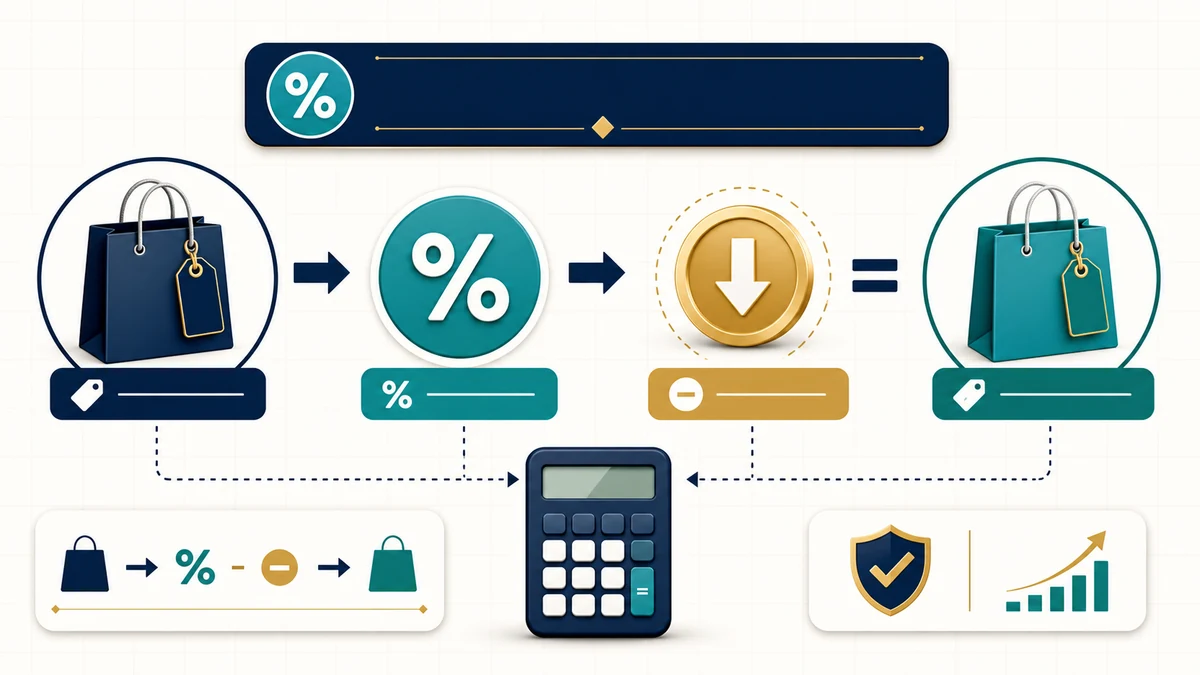
🏷️ Percent Off Calculator
Calculate final price, savings, and optional sales tax.
Amounts are entered in the main currency unit.
Money
$
Use 25 for 25%, or 0.25 in decimal mode.
If enabled, tax is applied after the discount.
Tax is ignored when sales tax is set to No.
Input note
This calculator treats the discount as a standard percent-off discount. Optional sales tax is applied after the discount, which is how sale-price calculations are usually handled.

Important Note: This Percent Off Calculator estimates discount savings, discounted price, optional sales tax, and final price after a percent-off discount.

The calculator treats the discount as a standard percentage reduction from the original price. If sales tax is enabled, tax is applied after the discount to the discounted price. Actual checkout totals may vary because of local tax rules, shipping fees, service fees, coupons, loyalty rewards, minimum purchase rules, exclusions, rounding, store policy, or different tax treatment.

Use this calculator for quick sale-price checks, shopping comparisons, coupon math, and discount estimates. For official receipts, business accounting, invoices, tax records, or legal pricing claims, verify the final checkout amount, tax rule, discount terms, and seller policy.

Use this Percent Off Calculator to quickly find the sale price after a percentage discount. Enter the original price, enter the percent off, and the calculator estimates your savings and final price. You can also enable sales tax to estimate the total after tax.

This tool is useful for shopping, sale events, coupon checks, retail pricing, online checkout estimates, and quick math when you want to know how much a discount really saves.

Reviewed by: AjaxCalculators Editorial Team
Last updated: May 31, 2026
Method source: Standard percentage discount and sales-tax arithmetic
Editorial standards: AjaxCalculators Editorial Policy

What This Percent Off Calculator Calculates

This calculator estimates the discounted price, discount savings, optional sales tax, and final price from the values you enter.

Input or Result Meaning Use Note
Original price The starting price before the discount. Use the price before the percent-off reduction.
Percent off The discount percentage. For example, 25 means 25% off.
Decimal discount mode Uses a decimal instead of a percent. For example, 0.25 means 25% off.
Savings The amount subtracted from the original price. Calculated as original price × discount rate.
Discounted price before tax The sale price after the discount but before optional tax. Useful for checking the pre-tax sale price.
Tax amount The estimated sales tax applied after discount when enabled. Actual tax treatment can vary by location and product type.
Final price The estimated total after discount and optional tax. Does not include shipping, service fees, or other checkout charges.

How the Percent Off Calculator Works

1) Discount Amount Formula

The discount amount is calculated by multiplying the original price by the discount rate.

Discount amount = original price × percent off ÷ 100

For example, if an item costs $80 and is 25% off:

Discount amount = 80 × 25 ÷ 100 = $20

2) Discounted Price Formula

The discounted price before tax is calculated by subtracting the savings from the original price.

Discounted price = original price − discount amount

Using the same example:

Discounted price = 80 − 20 = $60

3) Direct Sale Price Formula

You can also calculate the discounted price directly by multiplying the original price by the remaining percentage.

Discounted price = original price × (1 − percent off ÷ 100)

For a 25% discount, the remaining percentage is 75%, so:

Discounted price = 80 × 0.75 = $60

4) Optional Sales Tax Formula

If sales tax is enabled, the calculator applies tax after the discount.

Tax amount = discounted price × tax rate ÷ 100

Final price = discounted price + tax amount

For example, if the discounted price is $60 and the tax rate is 8%:

Tax amount = 60 × 8 ÷ 100 = $4.80
Final price = 60 + 4.80 = $64.80

Percent Input vs Decimal Input

The calculator supports discount and tax values as either percentages or decimals.

Meaning Percent Mode Decimal Mode
10% off 10 0.10
25% off 25 0.25
50% off 50 0.50
8% tax 8 0.08

Use 25 for 25% in percent mode, or 0.25 in decimal mode.

Sales Tax After Discount

The live calculator applies optional sales tax after the discount. That means it first calculates the discounted price, then applies the tax rate to that reduced price.

This is a common way to estimate a simple store discount, but real sales tax treatment can vary by location and coupon type. A retailer-funded discount may reduce the taxable price, while a manufacturer-funded coupon may be treated differently in some jurisdictions.

Currency and Amount Unit Notes

The currency selector changes the displayed currency symbol only. It does not perform foreign exchange conversion.

The amount unit option can be used for main currency units or subunits. For most everyday shopping calculations, use the main currency unit, such as dollars, euros, pounds, taka, or rupees.

Assumptions and Important Notes

  • This calculator assumes a standard percent-off discount.
  • It assumes the discount is applied to the original price before optional sales tax.
  • It assumes the sales tax rate entered by the user is correct for the item and location.
  • It does not verify local tax law, tax exemptions, coupon rules, or product-specific tax treatment.
  • It does not calculate shipping, handling, platform fees, service fees, tips, import tax, or checkout surcharges.
  • It does not perform currency exchange conversion.
  • Final checkout totals may differ if the store applies multiple coupons, loyalty points, rewards, gift cards, shipping fees, or tax rules differently.

Worked Example: 25% Off

Suppose an item has an original price of $80 and the discount is 25% off.

Step Calculation Result
Convert percent to decimal 25 ÷ 100 0.25
Find savings $80 × 0.25 $20
Find discounted price $80 − $20 $60

So, 25% off $80 saves $20, and the discounted price before tax is $60.

Worked Example: Discount Plus Sales Tax

Suppose an item costs $80, the discount is 25% off, and sales tax is 8% after the discount.

Step Calculation Result
Original price Given $80
Discount savings $80 × 25% $20
Discounted price before tax $80 − $20 $60
Tax amount $60 × 8% $4.80
Final price $60 + $4.80 $64.80

So, after a 25% discount and 8% tax, the estimated final price is $64.80.

Worked Example: Percent Off Without Tax

Suppose an item has an original price of $120 and is discounted by 30%.

Step 1: Calculate the discount amount
Discount amount = 120 × 30 ÷ 100 = $36

Step 2: Subtract the discount from the original price
Discounted price = 120 − 36 = $84

Step 3: Interpret the result
You save $36, and the price after discount is $84 before any tax or extra fees.

Worked Example: Percent Off With Sales Tax

Suppose an item costs $120, has a 30% discount, and sales tax is 8%.

Step 1: Calculate savings
Savings = 120 × 30 ÷ 100 = $36

Step 2: Calculate discounted price before tax
Discounted price = 120 − 36 = $84

Step 3: Calculate tax after discount
Tax amount = 84 × 8 ÷ 100 = $6.72

Step 4: Calculate final price
Final price = 84 + 6.72 = $90.72

So, after a 30% discount and 8% sales tax, the final price is $90.72.

How to Use This Percent Off Calculator

  1. Select the currency symbol you want displayed.
  2. Select whether amounts are entered in the main currency unit or subunit if needed.
  3. Enter the original price before discount.
  4. Enter the percent off.
  5. Select percent mode or decimal mode for the discount input.
  6. Choose whether to include sales tax.
  7. If sales tax is enabled, enter the tax rate.
  8. Click Calculate to estimate final price, savings, discounted price before tax, and tax amount.
  9. Use Reset to clear the calculator and start again.

If you use decimal mode, enter 0.25 for 25%, 0.10 for 10%, or 0.50 for 50%.

How to Interpret the Result

Output What It Means Important Caution
Final price The estimated amount paid after discount and optional tax. It may not include shipping, handling, tips, platform fees, or store-specific charges.
Savings The amount removed from the original price. Only valid if the original price is accurate and the discount applies to the full item price.
Discounted price before tax The sale price after percent off, before optional sales tax. Useful for checking whether a coupon or sale price was applied correctly.
Tax amount The estimated tax based on the entered tax rate. Actual tax rules vary by location, product, coupon type, and seller policy.
Input note Explains how the calculator treated the discount and tax. Check this note if the result does not match a receipt or checkout page.

Percent Off vs Amount Off

A percent-off discount and a fixed amount-off discount are different. This calculator is designed for percent-off discounts.

Discount Type How It Works Example Calculator Scope
Percent off Subtracts a percentage of the original price. 25% off $80 saves $20. Supported by this calculator.
Amount off Subtracts a fixed money amount. $20 off $80 gives a $60 sale price. Can be checked manually, but this calculator is mainly percent-based.
Buy one, get one offer Discount depends on item count and offer terms. Buy one, get one 50% off. Needs a separate multi-item or BOGO calculation.
Tiered discount Discount changes after spending thresholds. 10% off $50, 20% off $100. Needs the exact promotion rules.

Discount Before Tax vs After Tax

The calculator applies sales tax after the discount when tax is enabled. This is a common checkout-style estimate, but actual rules can vary by jurisdiction and coupon type.

Method Calculation Order Example on $100 at 20% Off and 8% Tax Important Note
Tax after discount Apply discount first, then tax the discounted price. $100 − $20 = $80; tax = $80 × 8% = $6.40; total = $86.40. This is the method used by this calculator when tax is enabled.
Tax before discount Tax original price first, then apply discount separately. $100 × 8% = $8; discount handling depends on rule; total may differ. Some coupon, rebate, or reimbursement situations may be treated differently.
No tax Apply discount only. $100 − $20 = $80. Useful when the product is tax-exempt or tax is not being estimated.

For exact totals, follow the checkout page, receipt, seller policy, or local tax authority rule.

Common Percent-Off Examples

Here are quick examples using a $100 original price before tax.

Discount Savings Price Before Tax Quick Mental Math
10% off $10 $90 Move decimal one place to find 10%.
15% off $15 $85 10% plus 5%.
20% off $20 $80 One-fifth off.
25% off $25 $75 One-quarter off.
30% off $30 $70 Three-tenths off.
40% off $40 $60 Four-tenths off.
50% off $50 $50 Half off.
75% off $75 $25 Three-quarters off.

Single Discount vs Stacked Discounts

This calculator is best for a single percent-off discount. If a store offers multiple discounts, they may be applied one after another rather than added together.

For example, 20% off followed by another 10% off is not always the same as 30% off. The second discount may apply to the already-discounted price, depending on the store’s rules.

Stacked Discounts and Coupon Limits

This calculator handles one standard percent-off discount. Some real promotions use more complicated rules.

Promotion Type How It Can Change the Result What to Check
Stacked discounts Two discounts may apply one after another, not by adding percentages together. Check whether discounts stack and in what order.
Coupon exclusions Some brands, products, categories, or sale items may be excluded. Read the coupon terms.
Minimum purchase requirement The discount may apply only after a spending threshold. Check subtotal before tax and fees.
Maximum discount cap A coupon may say 30% off up to a maximum savings amount. Check whether the savings is capped.
Member-only price The discount may require an account, subscription, or loyalty card. Check eligibility.
Shipping or service fees Final checkout total may rise even after a discount. Check the full checkout summary.
Manufacturer coupon Tax handling may differ from a seller-funded discount in some places. Check local tax rules and receipt details.

Sale Price and Deceptive Discount Caution

A large percent-off number is only meaningful if the original price is a real reference price. When comparing deals, check whether the “was” price, regular price, or list price reflects a genuine selling price.

Pricing Claim What to Check Why It Matters
“Was $100, now $60” Whether $100 was a genuine recent selling price. An inflated reference price can make the discount look larger.
“50% off” Whether the discount applies to the item you are buying. Some promotions exclude brands, sizes, colors, or categories.
“Up to 70% off” Which products actually receive the largest discount. Only a limited selection may have the advertised maximum discount.
“Limited-time sale” Whether the sale is genuinely temporary. Repeated or always-on sales may weaken the real bargain claim.
“Compare at” price How the comparison price was determined. Comparison prices may not always reflect your local market or actual seller price.

FTC pricing guidance warns that bargain advertising should not mislead shoppers about the reality of the claimed discount. Check the final price and compare across sellers when the purchase matters.

Percent Off vs Unit Price

A percent-off discount shows savings from the original price, but unit price can still help you compare value between different package sizes.

Comparison Type What It Tells You Example Best Use
Percent off How much the price is reduced from the original price. 30% off $50 saves $15. Checking sale price and savings.
Final price How much you may pay after discount and optional tax. $50 after 30% off becomes $35 before tax. Checkout estimate.
Unit price Cost per equal amount of product. $3 per lb, $0.20 per oz, or $5 per 100 g. Comparing different package sizes.

A discounted product is not always the best value if a different package has a lower unit price or better quality.

Practical Uses

This Percent Off Calculator is useful for quick discount and sale-price estimates.

Use Case How the Calculator Helps
Shopping sale checks Find the discounted price before buying.
Coupon math Estimate savings from a percent-off coupon.
Tax-inclusive checkout estimate Estimate final price when sales tax is added after discount.
Retail markdown planning Calculate sale price after a planned markdown.
Budget planning Check whether a discounted item fits your budget.
Price comparison Compare different sale prices from different sellers.
Classroom percentage practice Show how percentage discounts convert into money savings.

When You May Need More Than This Calculator

This calculator is best for one standard percent-off discount. Some shopping and business situations need extra rules.

Need Better Method or Additional Check
Multiple stacked discounts Apply each discount in the exact order used by the seller.
BOGO or multi-buy offers Use a deal calculator that handles item counts and different item prices.
Final checkout comparison Include shipping, service fees, taxes, tips, coupons, and credits.
Business invoices Use accounting software or invoice rules that match your jurisdiction and tax treatment.
Sales-tax compliance Check local tax authority rules for discounts, coupons, rebates, and exempt items.
Retail advertising claims Check consumer-protection and pricing-advertising rules before making public discount claims.
Unit value comparison Use a unit price or weight price comparison calculator.

Frequently Asked Questions

How do I calculate percent off?

Convert the percent to a decimal, multiply by the original price to find savings, then subtract the savings from the original price.

What is the formula for percent off?

The formula is discounted price = original price × (1 − percent off ÷ 100).

How much is 25% off $80?

25% of $80 is $20, so the discounted price is $80 − $20 = $60 before tax.

How do I calculate final price with sales tax?

First calculate the discounted price, then multiply the discounted price by the tax rate to find tax. Add the tax to the discounted price.

Does this calculator apply tax before or after discount?

When sales tax is enabled, this calculator applies tax after the discount. Actual tax rules can vary by location, product type, coupon type, and seller policy.

What does decimal discount mode mean?

Decimal mode lets you enter the discount as a decimal. For example, 0.25 means 25%, 0.10 means 10%, and 0.50 means 50%.

Is 50% off the same as half price?

Yes. A 50% discount means the item costs half of the original price before tax and other fees.

Why does my receipt not match the calculator?

The receipt may include taxes, shipping, service fees, coupon limits, item exclusions, rounding, store credits, or tax rules that are not included in a simple percent-off estimate.

Can I use this calculator for stacked discounts?

This calculator is designed for one standard percent-off discount. For stacked discounts, apply each discount in the exact order used by the seller.

Common Mistakes to Avoid

Mistake Why It Causes Problems
Entering 0.25 in percent mode for 25% In percent mode, 0.25 means 0.25%, not 25%.
Entering 25 in decimal mode for 25% In decimal mode, 25 would mean 2500%, not 25%.
Forgetting sales tax The final checkout total may be higher than the discounted price.
Assuming every discount applies before tax Tax treatment can vary by location, product, coupon type, and seller policy.
Ignoring shipping or service fees Fees can reduce or eliminate the value of a discount.
Adding stacked discounts together Two discounts applied one after another are not the same as one combined discount in many cases.
Trusting an inflated original price A discount looks better when the reference price is higher than the real market price.
Comparing discount percentage only A smaller discount on a lower original price may still be the better deal.
Ignoring return policy or exclusions Clearance or final-sale items may have stricter terms.

Percent Off Formula Summary

What You Want to Find Formula Example
Discount rate from percent discount rate = percent off ÷ 100 25% ÷ 100 = 0.25
Savings amount savings = original price × discount rate $80 × 0.25 = $20
Discounted price discounted price = original price − savings $80 − $20 = $60
Shortcut discounted price discounted price = original price × (1 − discount rate) $80 × 0.75 = $60
Tax rate from percent tax rate = tax percent ÷ 100 8% ÷ 100 = 0.08
Tax amount after discount tax amount = discounted price × tax rate $60 × 0.08 = $4.80
Final price with tax final price = discounted price + tax amount $60 + $4.80 = $64.80
Final price without tax final price = discounted price $60

References

  1. FTC / eCFR — Guides Against Deceptive Pricing, 16 CFR Part 233
  2. Federal Trade Commission — Deceptive Pricing
  3. NIST — Uniform Unit Pricing: Tools for Consumers to Fight Shrinkflation
  4. NIST SP 1181 — Unit Pricing Guide
  5. Kansas Department of Revenue — Sales Tax and Compensating Use Tax

Related Calculators

Percent Off Calculator Disclaimer

This Percent Off Calculator provides general discount estimates only. It calculates savings, discounted price, optional tax amount, and final price from the original price, discount rate, and tax rate entered by the user.

Actual checkout totals may differ because of tax rules, coupon type, seller-funded discounts, manufacturer coupons, exclusions, shipping, handling, service fees, tips, loyalty rewards, store credits, minimum purchase rules, maximum discount caps, product eligibility, currency rounding, and seller policy.

This calculator does not verify whether an advertised discount is genuine, whether a reference price is accurate, whether a promotion complies with consumer-protection rules, or whether the tax treatment is correct for your location. For receipts, invoices, business accounting, sales-tax compliance, legal pricing claims, or official records, use the seller’s final checkout total, receipt, accounting system, and applicable tax or consumer-protection guidance.

More of our calculators...

Salary calculator

Convert hourly, weekly, biweekly, semi-monthly, monthly, and annual pay. Estimate gross salary from hours per week and paid weeks per year.

PayPal Fee Calculator

Calculate PayPal fees, net received amount, and required gross payment. Enter percentage and fixed fees to estimate seller transaction costs.

Mortgage Calculator

Calculate monthly mortgage payment, total interest, payoff date, and amortization. Add down payment, taxes, insurance, PMI, and extra payments.

Mortgage Interest Calculator

Estimate total mortgage interest and monthly interest over the loan term. Compare rates and terms quickly.

Mortgage Calculator with Taxes and Insurance

Estimate monthly mortgage payment with principal, interest, taxes, insurance, HOA, PMI, closing costs, loan amount, and amortization preview.

Amortization Calculator

Generate a loan amortization schedule with monthly payment, principal, interest, balance, payoff date, total interest, and optional extra payments.

Refinance Calculator

Compare your current mortgage with our Refinance calculator. Estimate new payment, monthly savings, closing costs, break-even time, interest, and payoff dates.

Credit Card Interest Calculator

Estimate credit card interest from APR, billing-cycle days, and average daily balance. Project monthly interest, payments, purchases, and ending balance.

Balance Transfer Calculator

Compare keeping your current credit card balance vs transferring it to a promo APR card. Estimate interest, transfer fees, savings, and payoff time.